
OPS Print eCommerce – Back-Office
OPS Print eCommerce - Back-Office
Start Demonstration
Wordpress Admin Interface
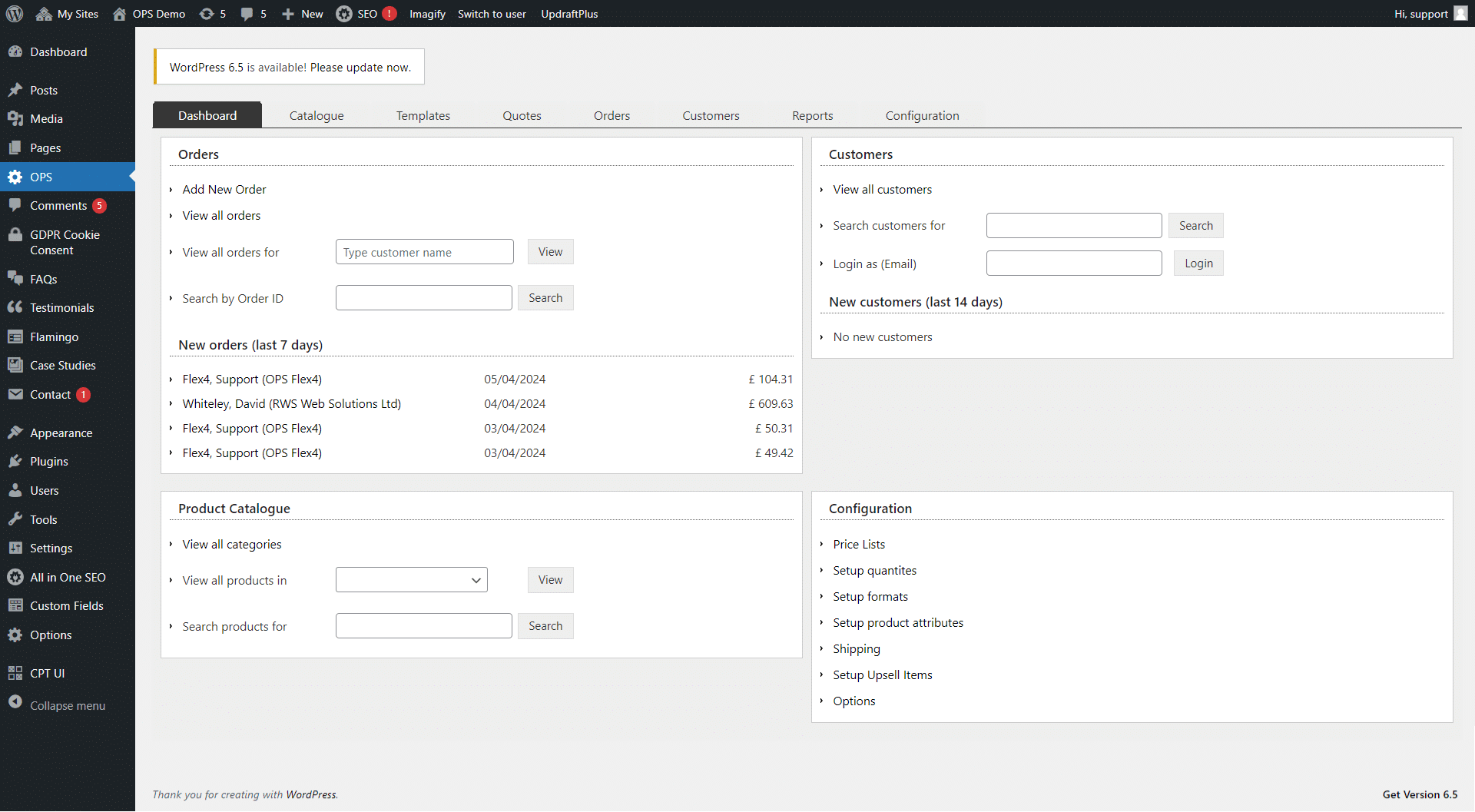
Access to the OPS back-Office is via the Wordpress Admin interface which also you to update non-product pages (e.g. Home and About Us) using OPS content blocks, publish blog articles and manage plug-ins etc.
The OPS back-office has been integrated with the left-hand Wordpress menu and the first screen provides a Dashboard showing recent orders and customer registrations plus the ability to search and navigate to product, pricing, order and customer data.
OPS Catalogue - Overview
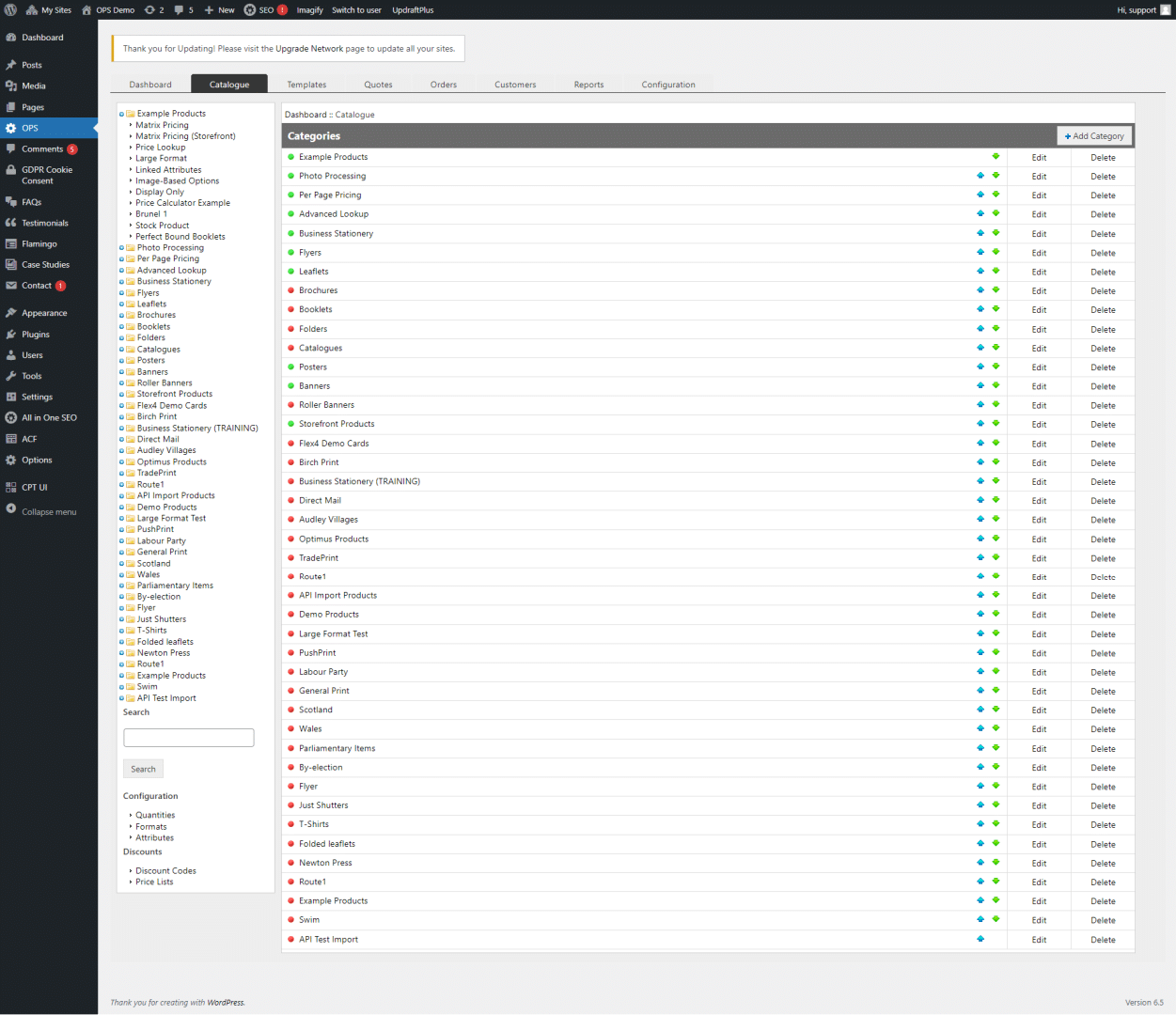
The Catalogue tab allows you to manage the products displayed on the front-end website. The initial product catalogue can be created by spreadsheet upload however the menu system also allows existing products to be updated.
OPS Catalogue - Price Management
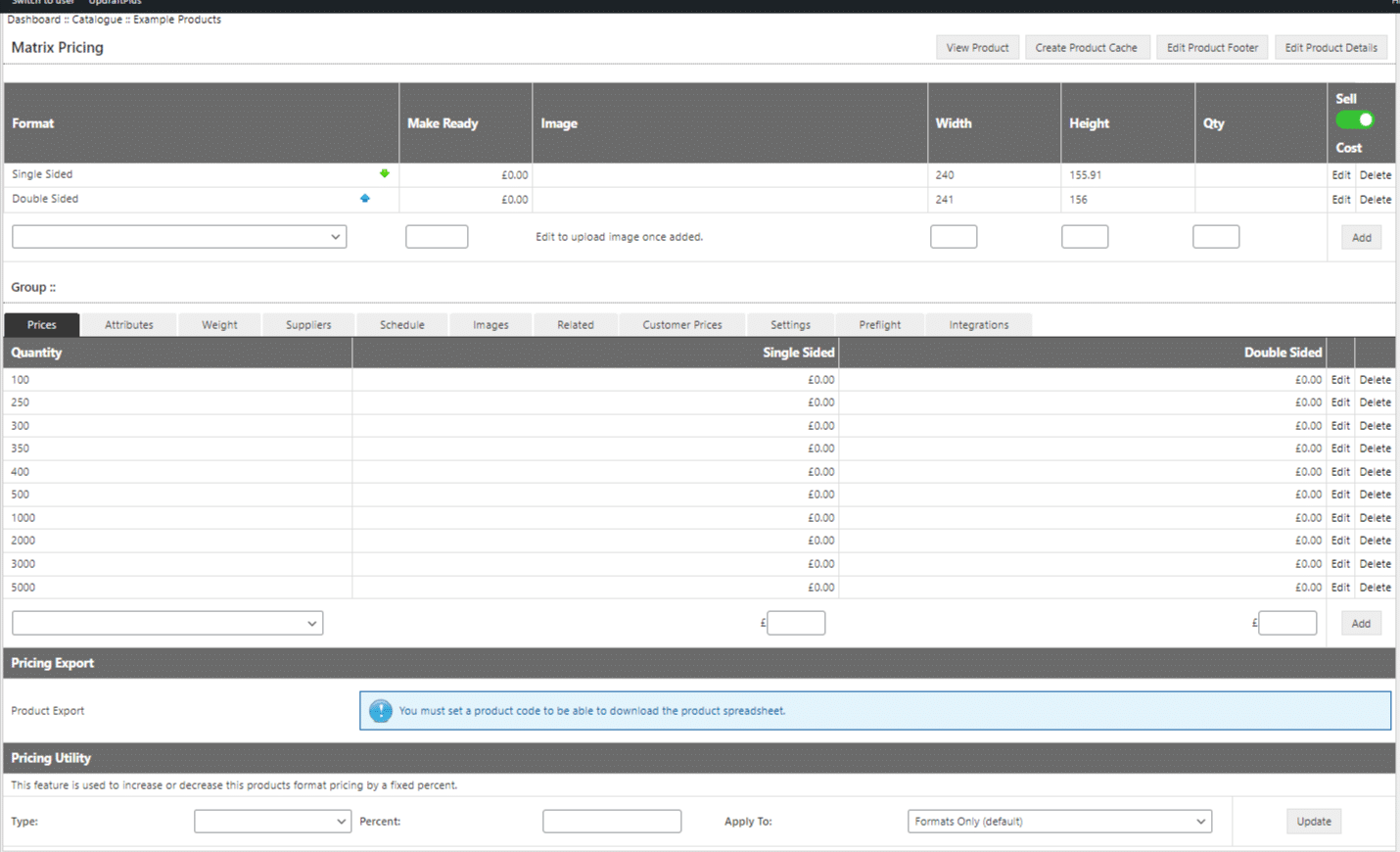
The product catalogue price screen provides a flexible way to configure product prices, options and also to manage various other product settings. This screen shows the pricing setup for a matrix product.
OPS Catalogue - Product Option Setup
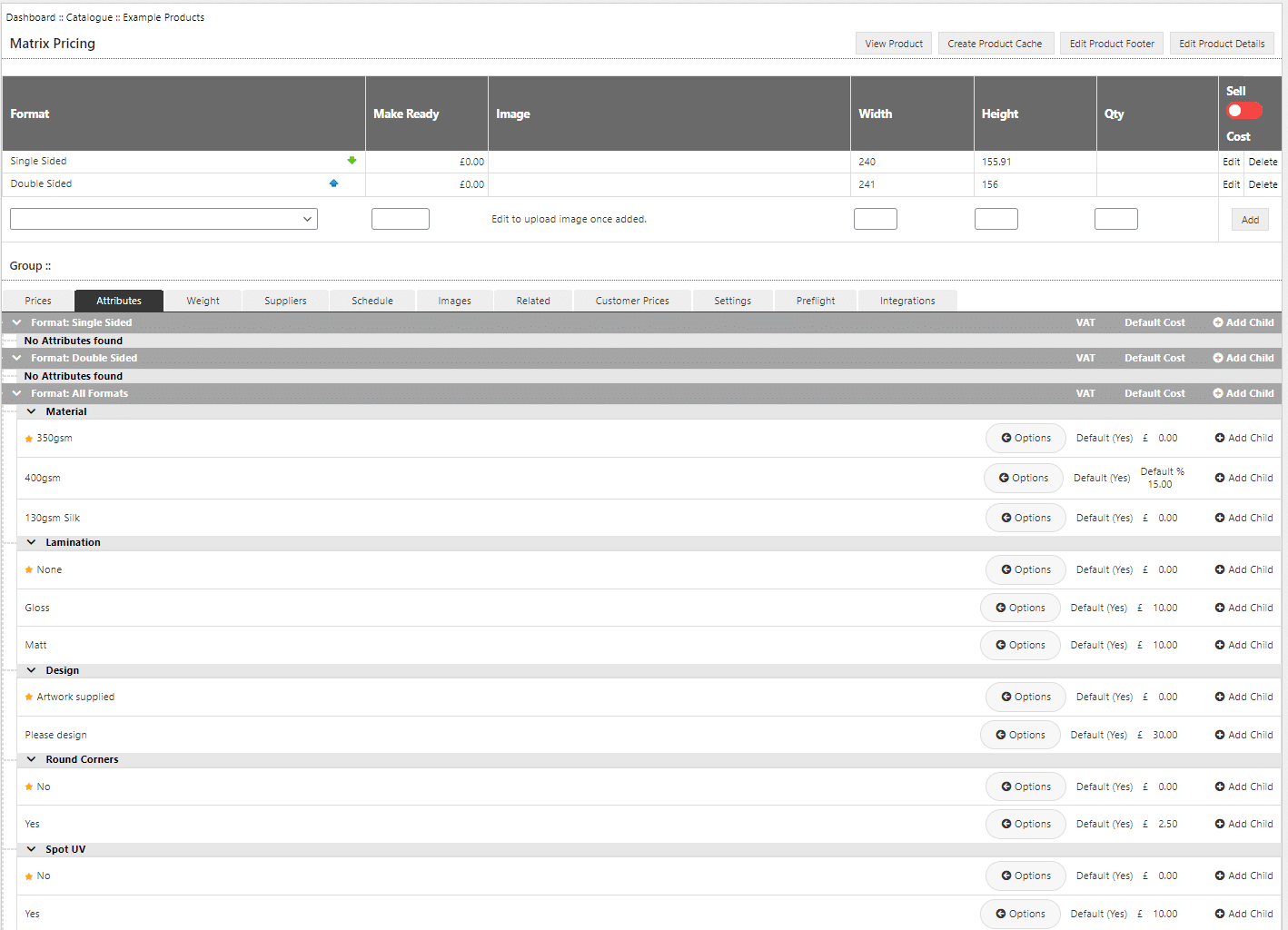
Product options or attributes are setup in groups and this screen allows you to configure default values and option prices which can be an amount in pounds or a percentage. Option pricing can also be setup dynamically to save time during product setup.
OPS Catalogue - Product Weights
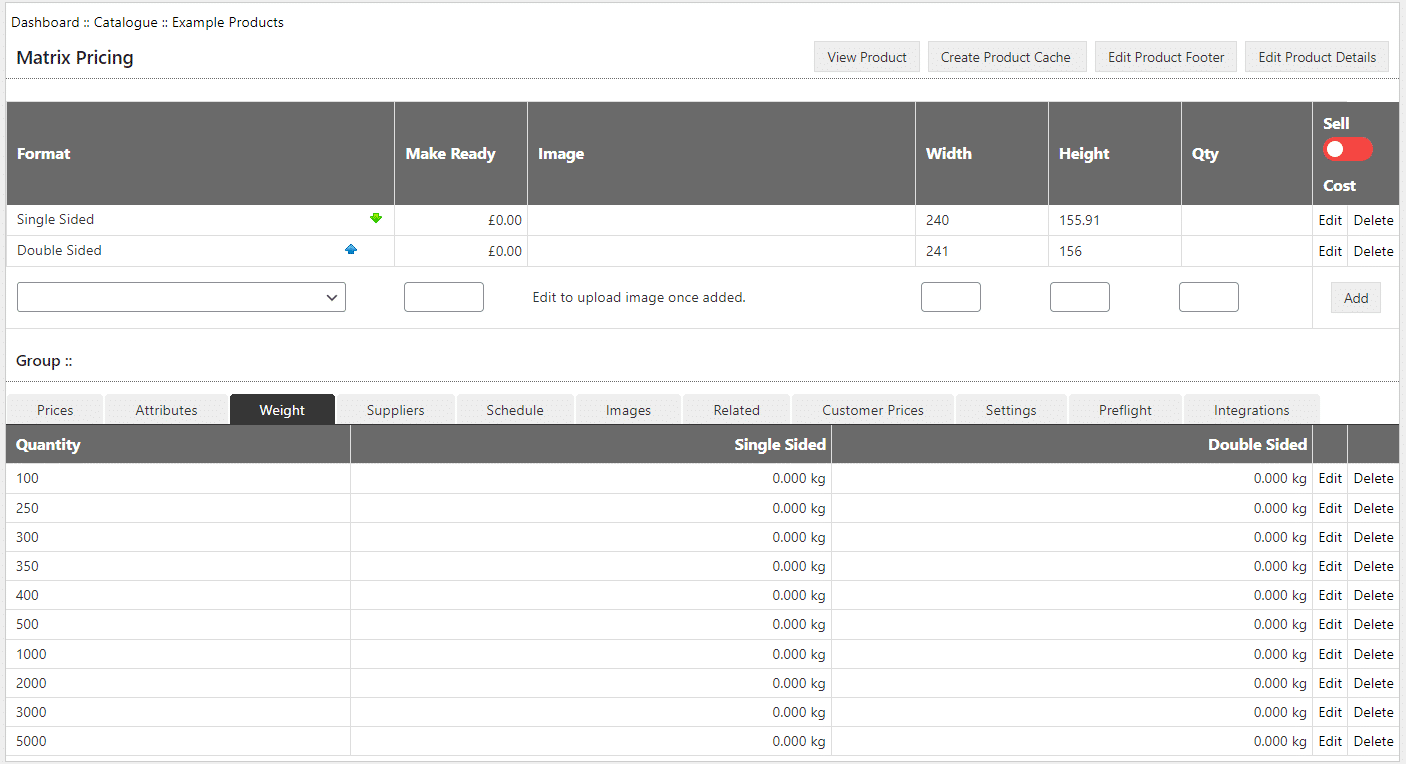
Where weight based delivery charges are being used, this screen allows weights to be entered for each combination of product and quantity. Again this data can be populated using a spreadsheet upload process.
OPS Order Management - Overview
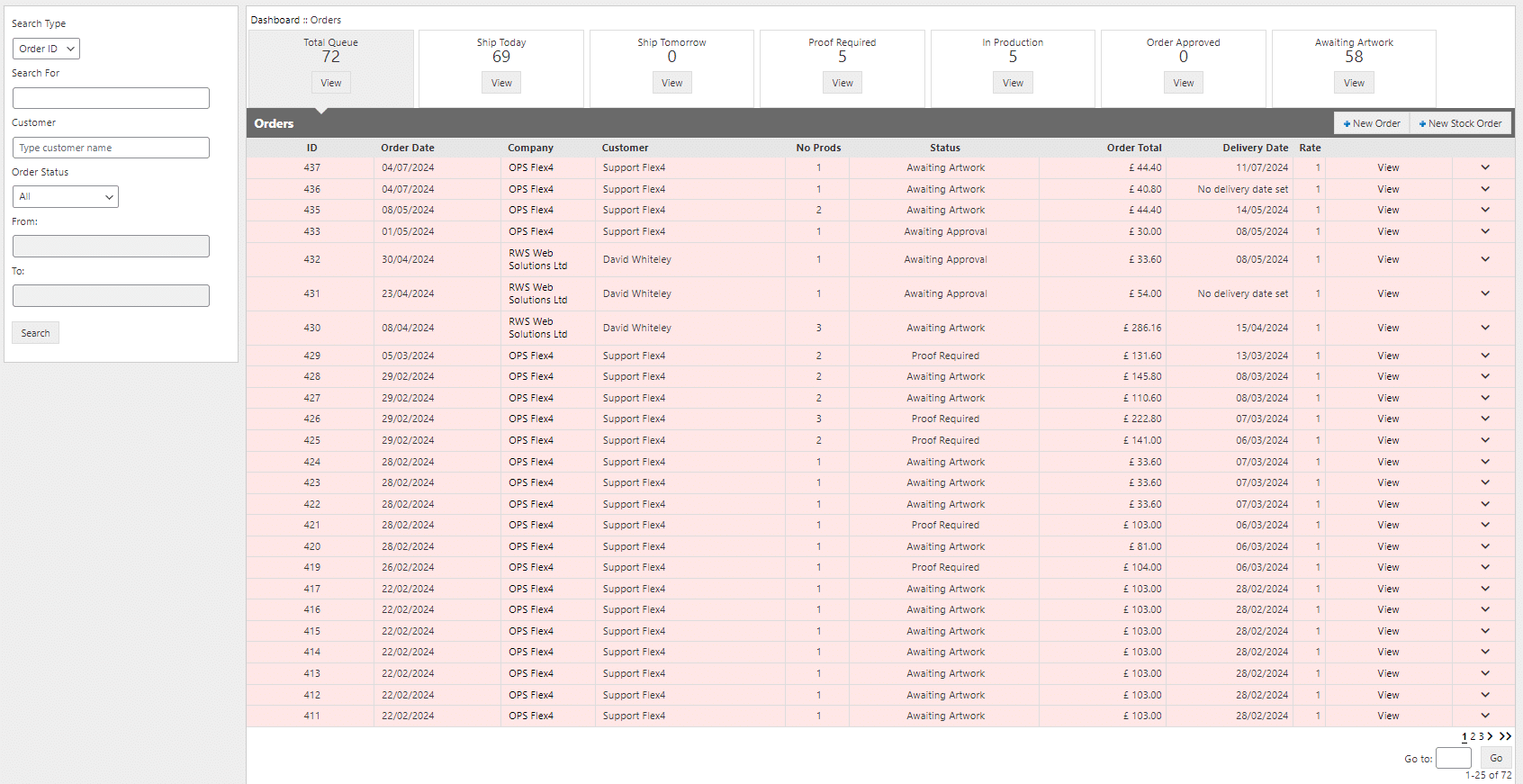
The Orders database provides complete day-to-day management of orders received online. Orders are typically displayed in order I.D. sequence, however it is also possible to search and display orders by product or customer.
The status level can be used to display tiles showing the number of orders at each stage of production and can be used to drive automated workflow.
OPS Order Management - Status Levels
Each order can be assigned a status level which can be defined to suit your own internal production processes. The status level can be used to drive automated workflow. For example when the status level is changed to 'shipped' OPS can be configured to automatically send the customer an email advising that their order is on its way.
OPS Order Management - Order Details
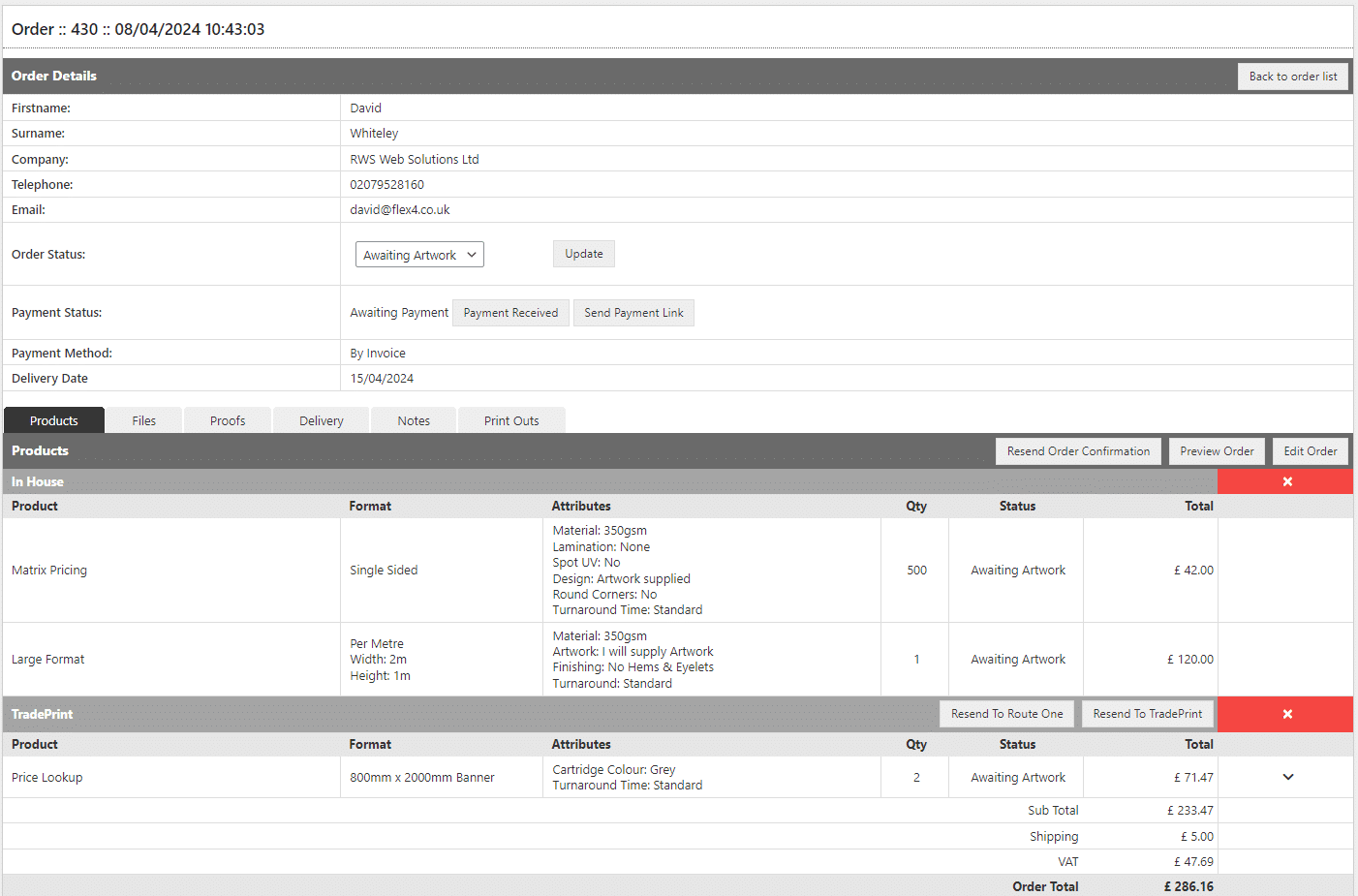
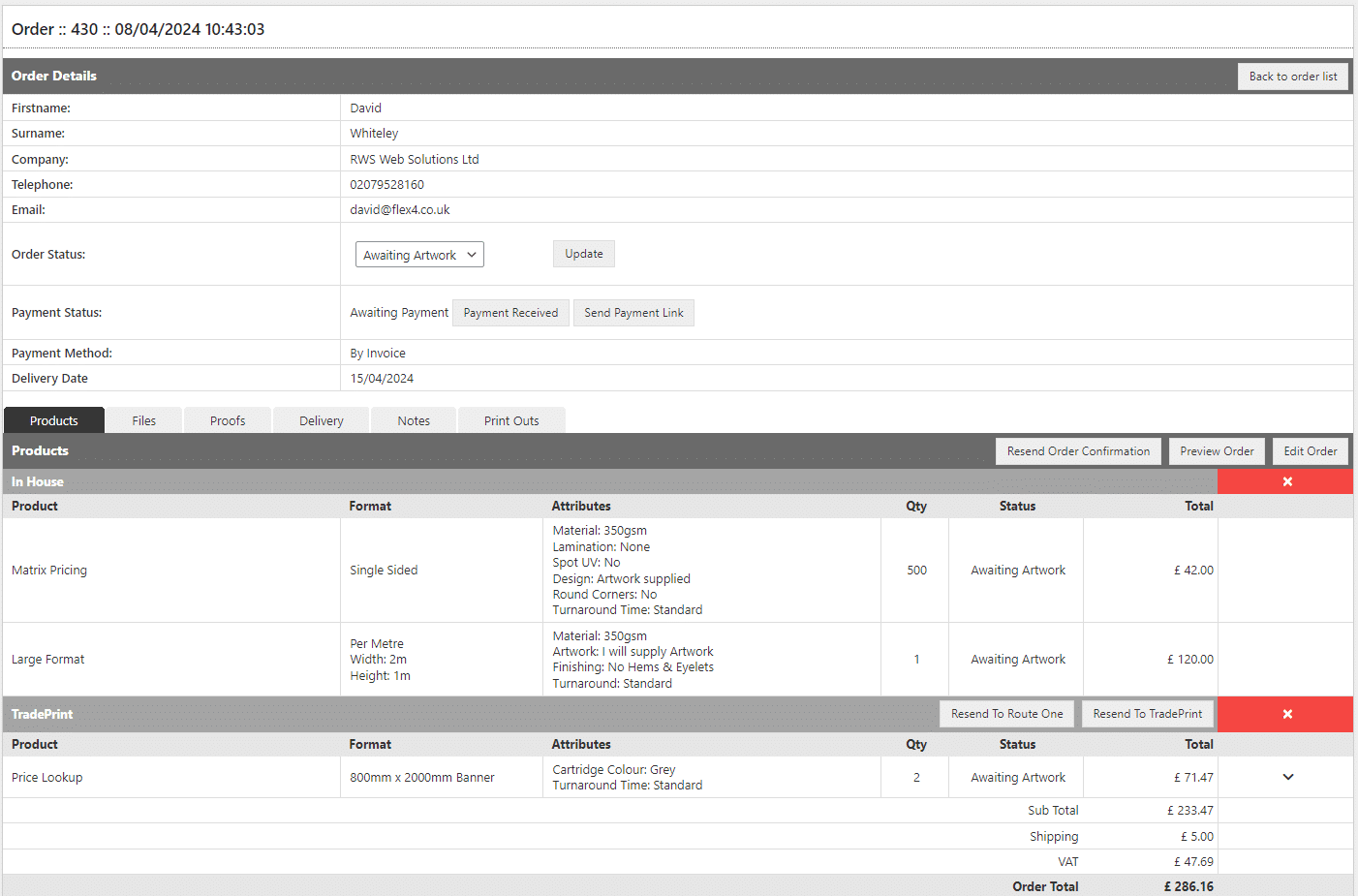
When an order is viewed the first tab displays details of the products that have been ordered along with pricing information. Supplier automation rules can be used at this stage to route order groups by either in-house or a specific outsourced supplier.
OPS Order Management - Artwork Files
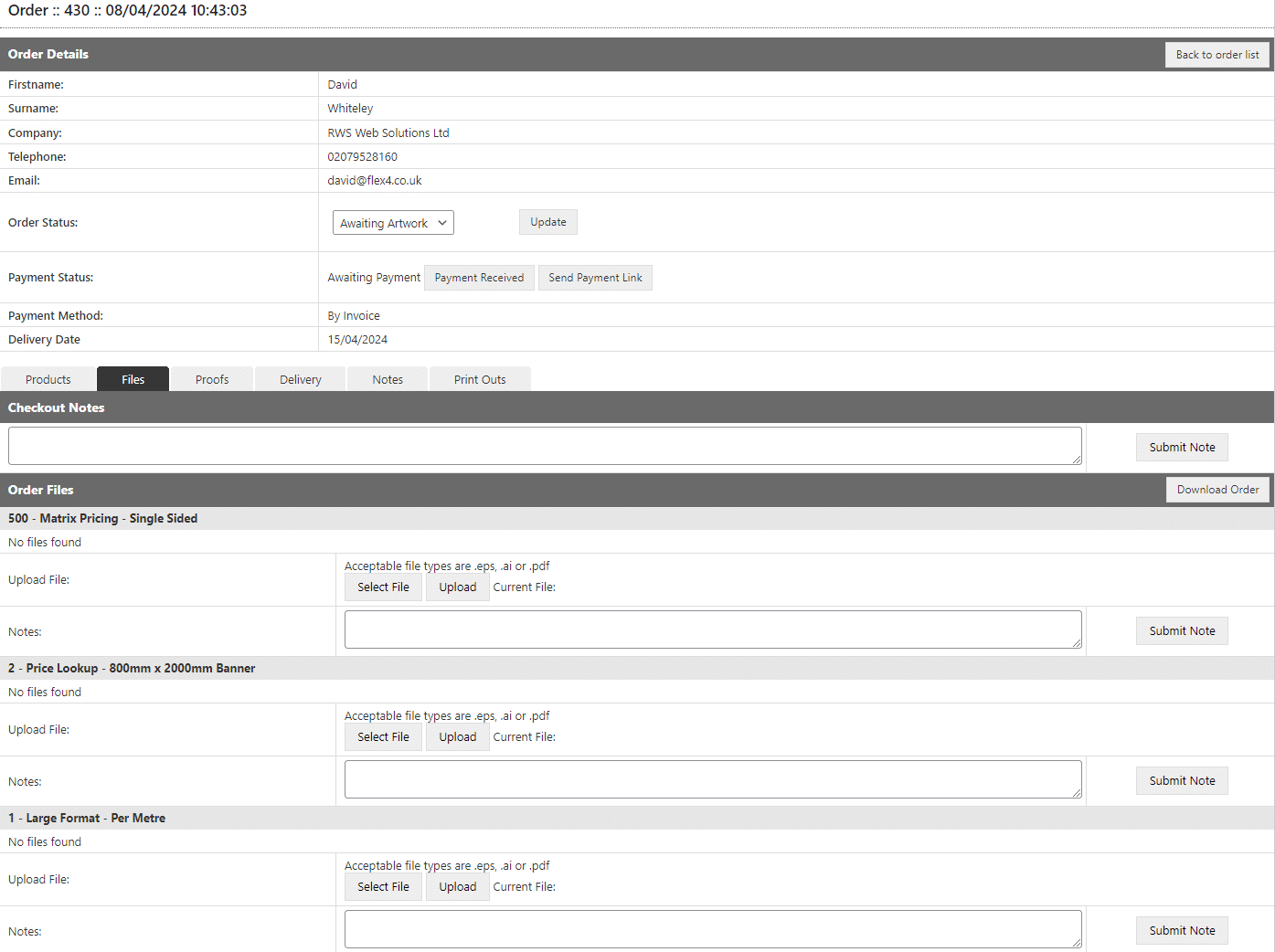
Any artwork files uploaded by a customer during the ordering process can be viewed and downloaded for each item of an order.
OPS Order Management - Delivery
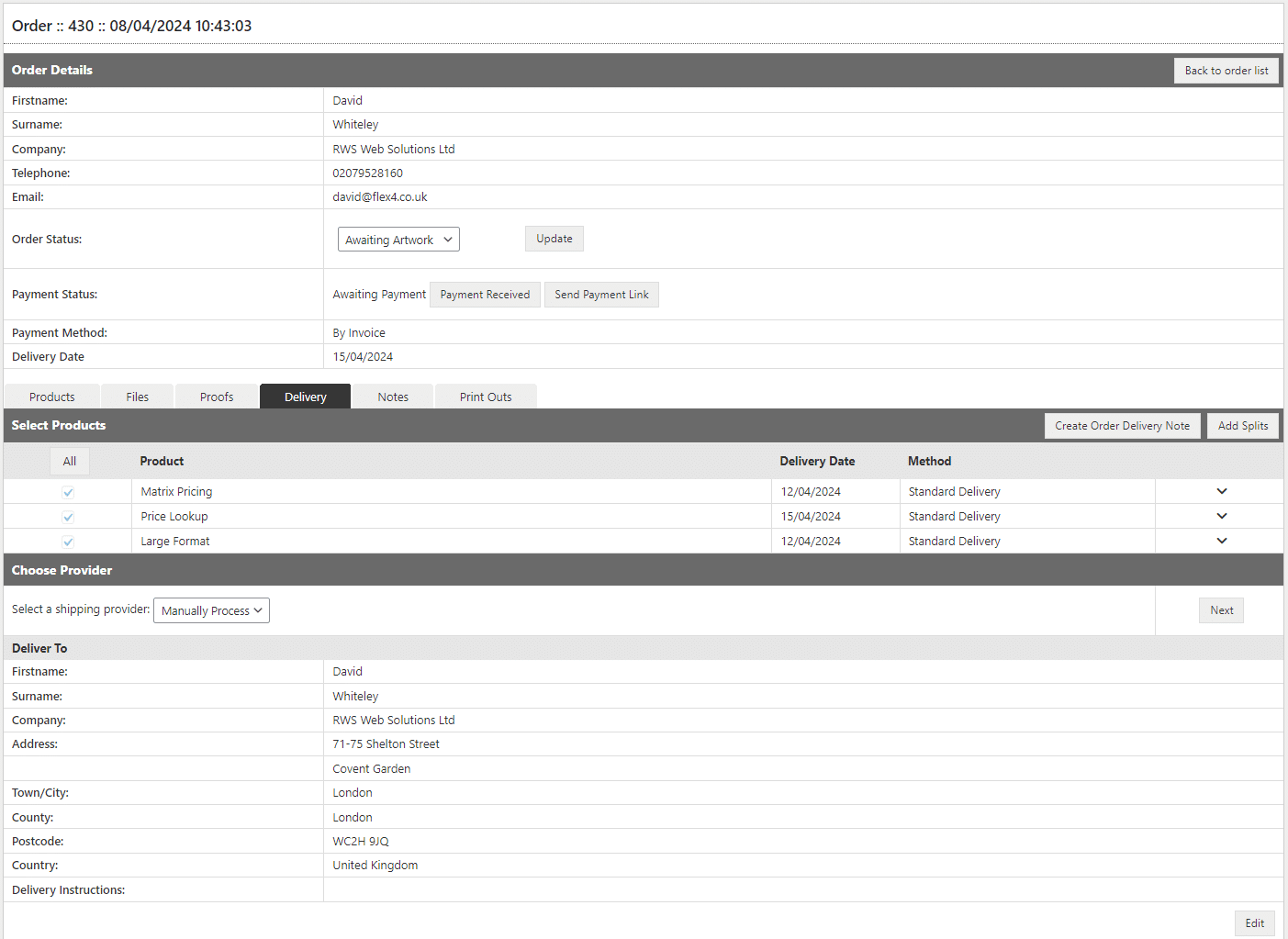
The Delivery tab provides the ability to select the courier to be used and provides access to delivery address details and the ability to update and inform the customer of the planned delivery date.
OPS Order Management - Notes
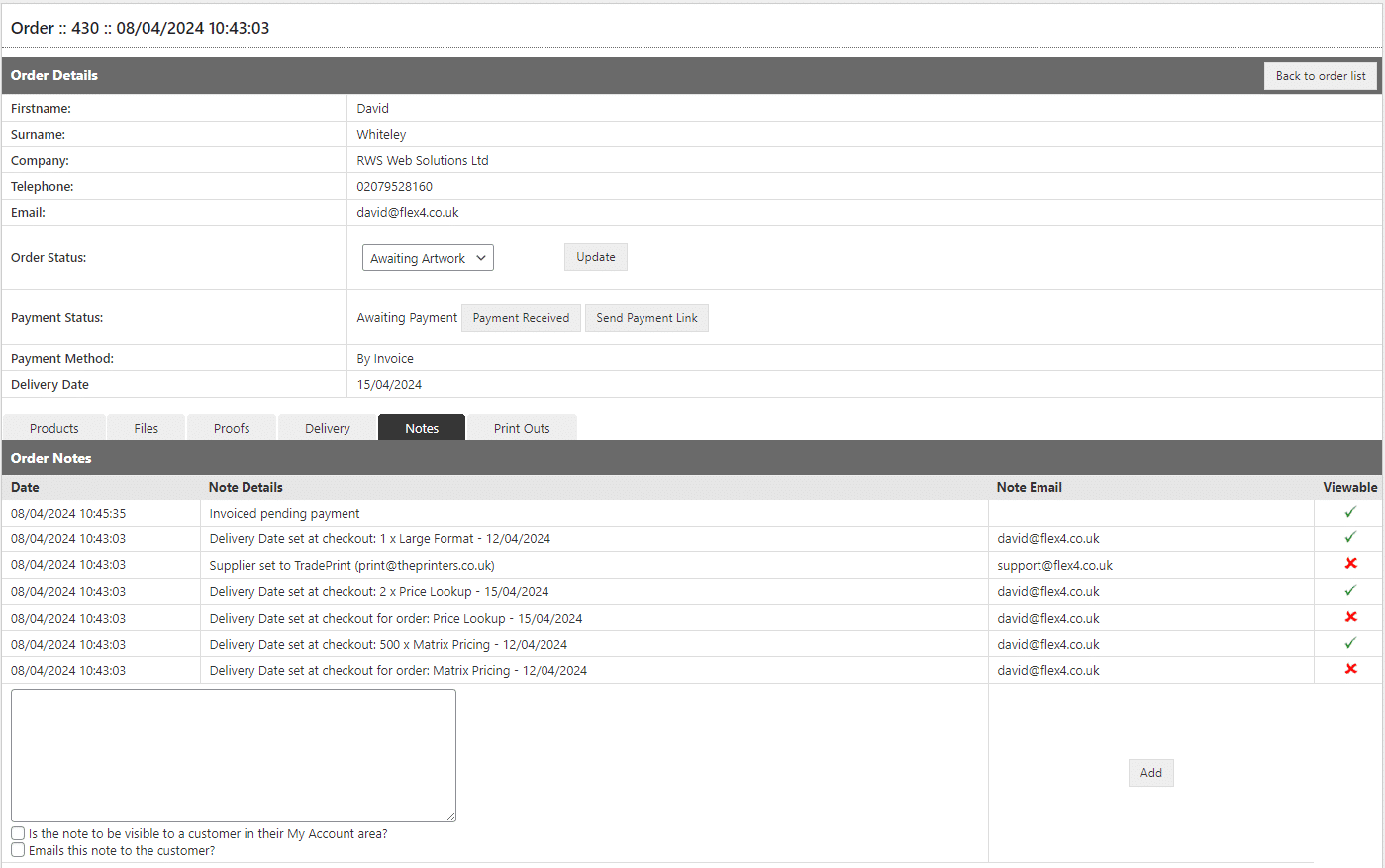
The Notes tab provides an audit trail of order milestones and notes can be added to an order at any stage. In addition there is an option for the note to be either emailed to the customer and / or be displayed in their My Account area.
OPS Order Management - Print Outs
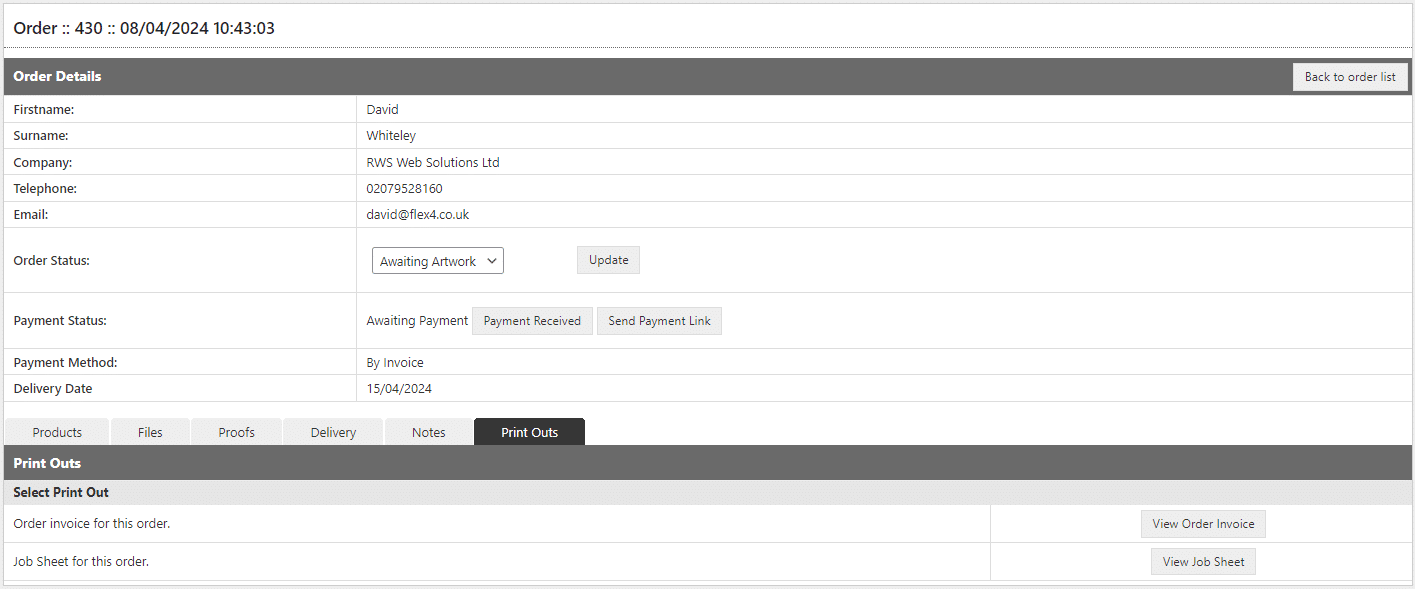
Order information can be viewed or printed out to provide invoices and job sheets for inclusion in production job bags.
OPS Customer Management
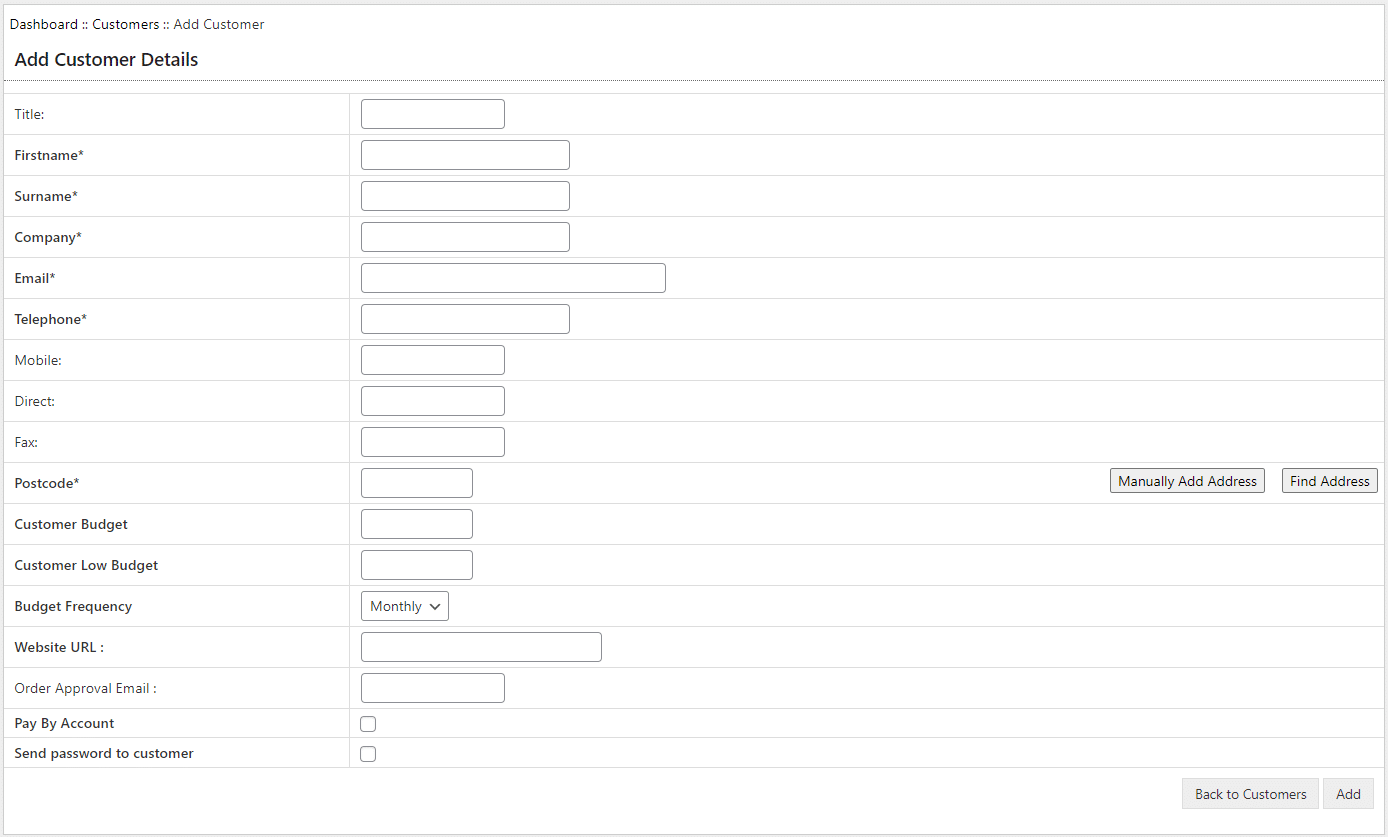
OPS provides the ability to manage individual customers. Records for customers are either created automatically on registration, or can be added manually by a website admin person.
OPS Customer Updates
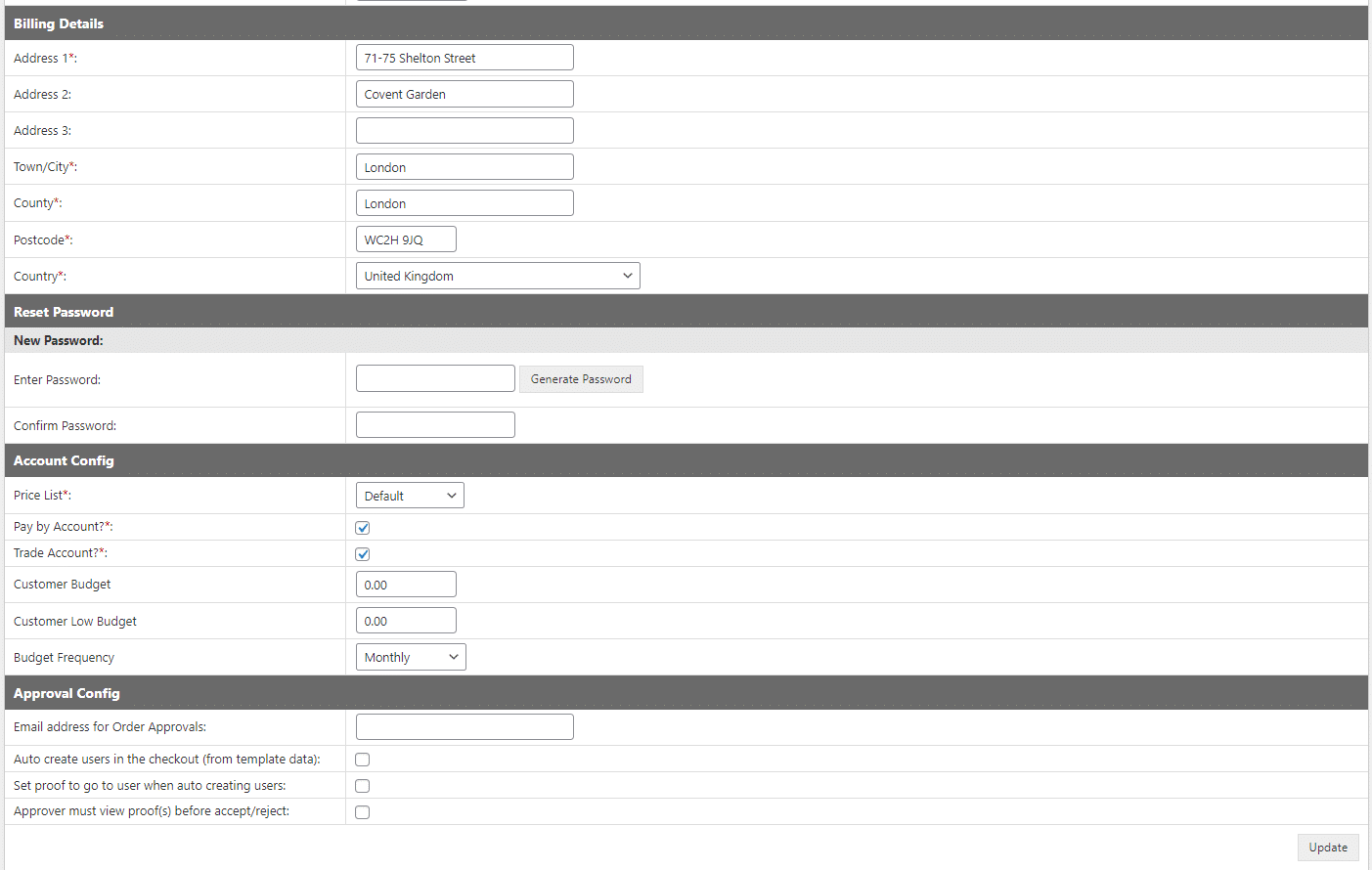
The OPS back-office provides the ability to edit the data stored against a customer, including whether they are able to pay on account, rather than by debit or credit card.
OPS Customer Orders
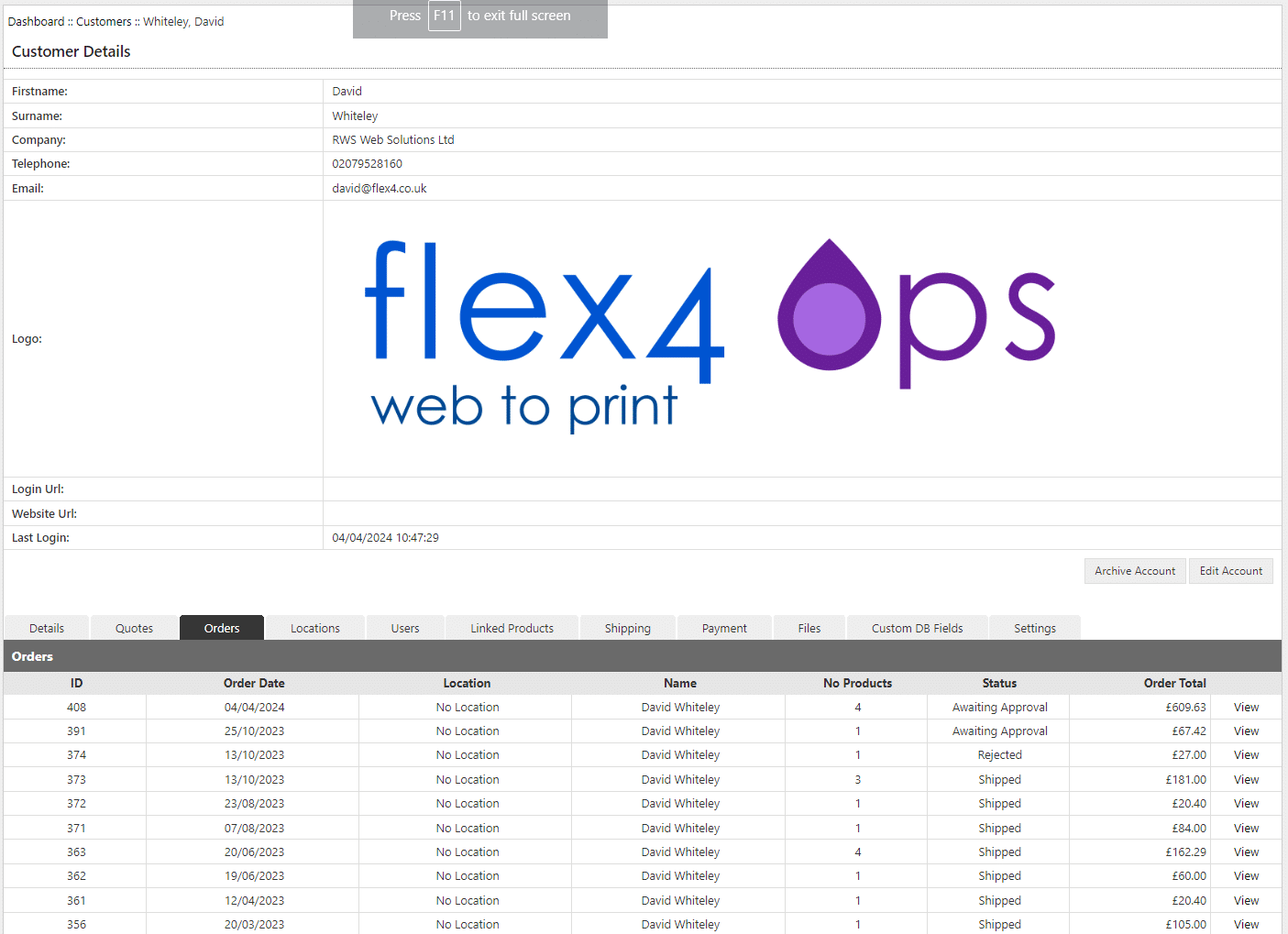
The Customer database includes the ability to view order details by customer.
OPS Standard Reports
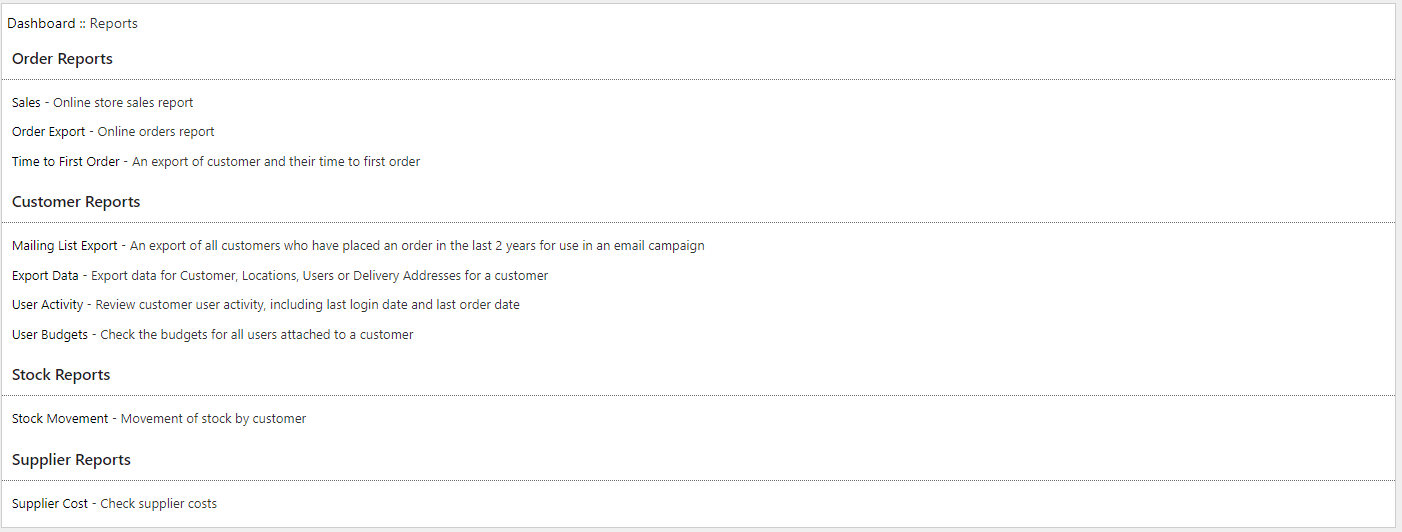
The OPS back-office includes a range of standard reports that can be either viewed on screen or exported as a CSV file.
OPS Sales Report
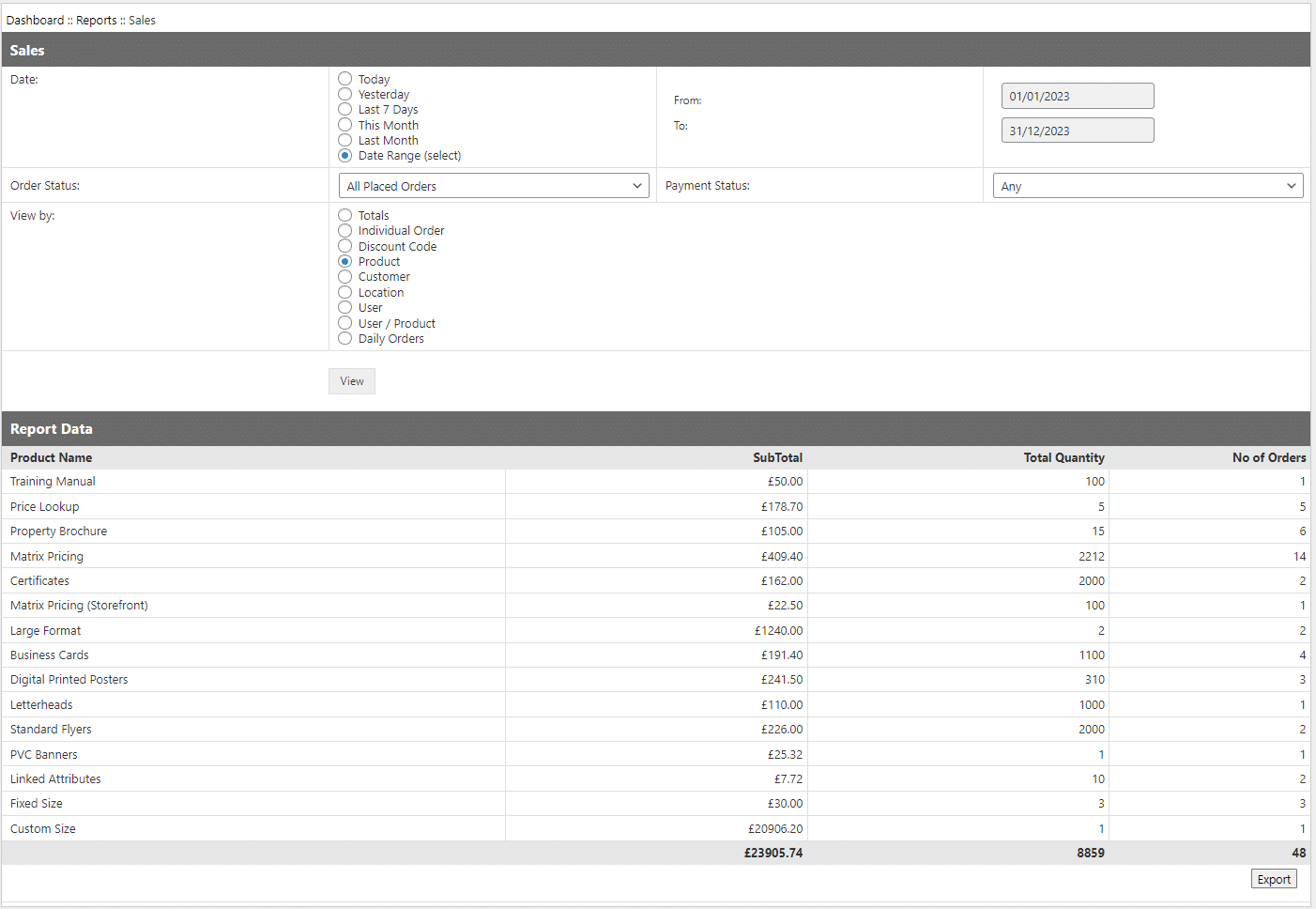
An example is the Sales Report which allows the user to select a date range and then view sales data by various criteria including by customer and product.
OPS Configuration Area
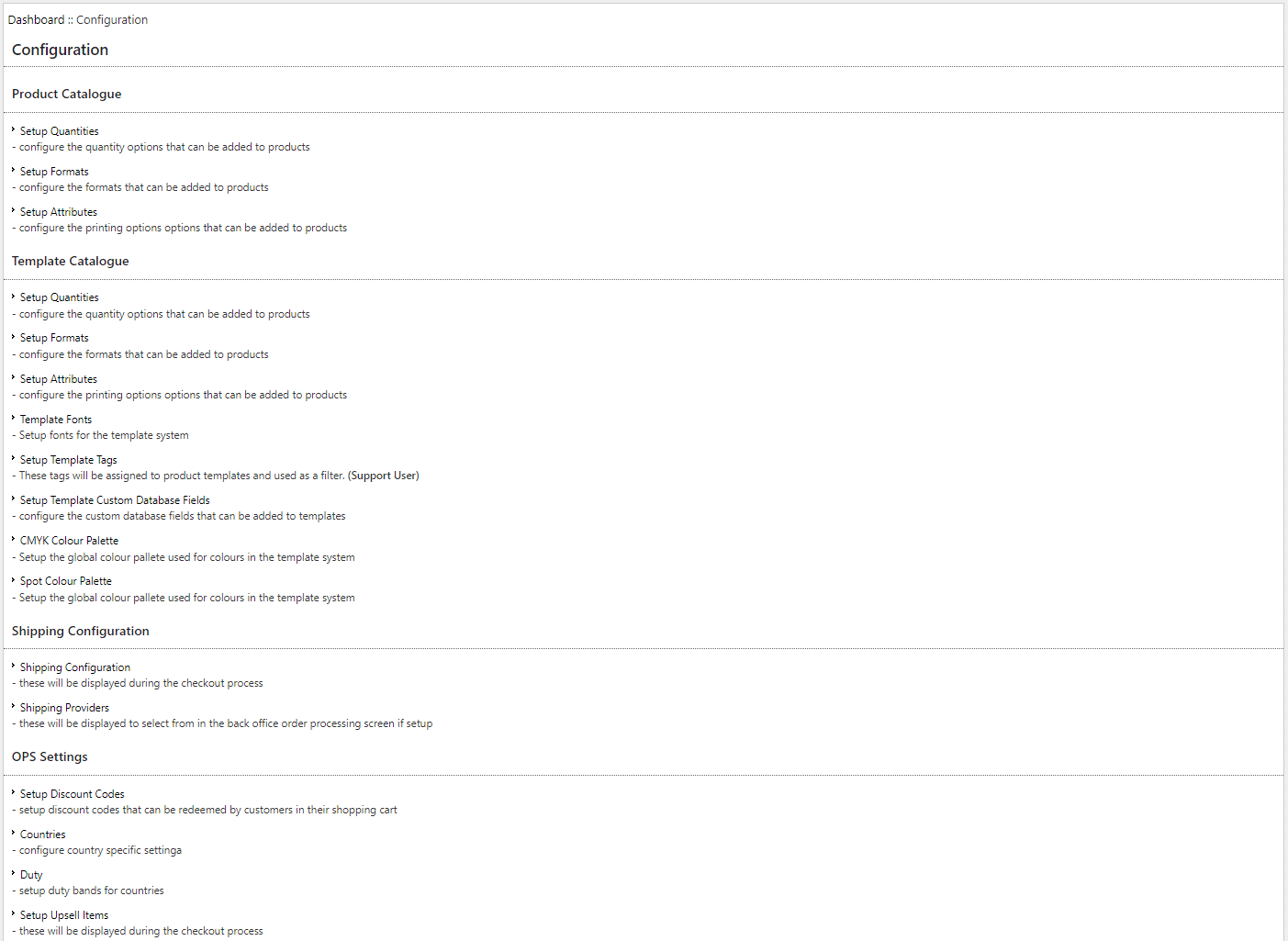
The Configuration area is used during the setup and on-going management of the solution and includes the ability to make changes to products, shipping settings etc.
The Configuration area can also be used to create any additional quantities, formats and attributes needed to configure new products.
OPS Configuration Area - Discount Codes
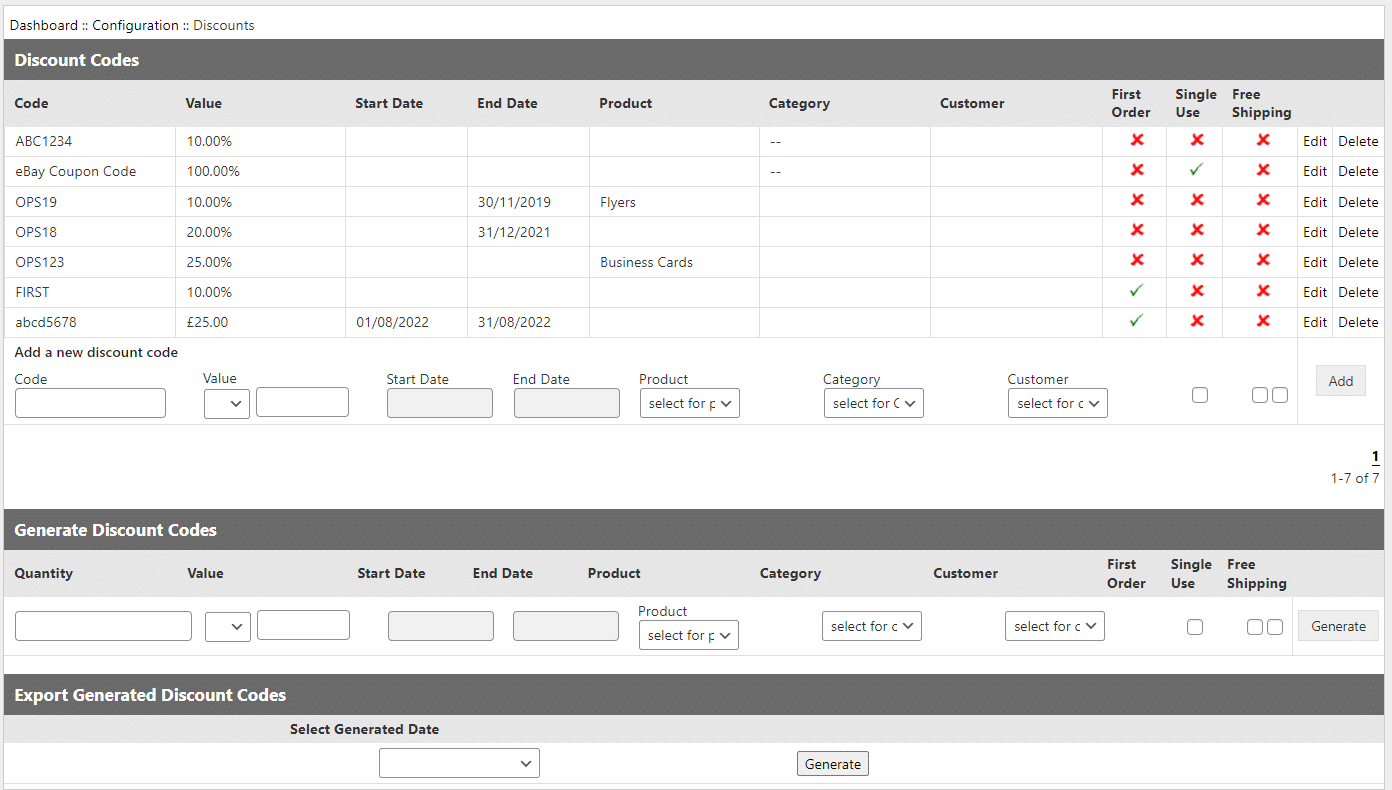
A particularly useful feature of the Configuration area is the ability to create discount codes that can be used for various types of promotion. Individual promotions can be for either a value or percentage of the selling price. They can also be made specific to a particular date range, customer or product. In addition discounts can be setup so that they can only be used when someone places their first online order,which is a useful way to attract new customers.